Sunday, February 6, 2011
EDIT 550 - My First Inverse Kinematics Usage
Here is an example of using inverse kinematics to animate a body doing push ups. We are using the animations as part of a larger project called "E-PE". I am still learning through trial and error how the bone tool works. As I stumble my way through the process, I get better and make less mistakes.

Saturday, January 1, 2011
EDIT 550 & EDIT 502 - Cal State LA
I have 4 more classes until I have finished the class requirement of my degree. These are two of the last four. I'll be posting what I learn and the projects I create in the two classes.
Classes start on Wednesday, January 5, 2011 and Thursday, January 6, 2011.
Classes start on Wednesday, January 5, 2011 and Thursday, January 6, 2011.
Saturday, December 18, 2010
EDIT 556 - A video tutorial with captions
I used Camtasia to create an online video tutorial for Google Docs, specifically for documents, spreadsheets, and presentations. In order to get the flow right, I had to write a script that I could follow while I did my screen clicks. Just like a movie, I did take after take to get the presentation right. It was easier to get it all right in one take versus editing the short pieces together. I added zooming in certain parts to help the user "see" what I was doing. I realized after inserting the captions that I chopped up my footage to the point where I couldn't continue my effects on my clips. I did not figure out how to merge my clips to get around it.
Friday, December 17, 2010
EDIT 540 Wiki
The wiki houses all of my projects for the class. I had fun learning about educational and performance visuals. I look at advertisements, graphics, and websites in a whole different way using the principles I learned in Linda Lohr's book, Creating Graphics for Learning and Performance: Lessons in Visual Literacy.
EDIT 540 Wiki - here is the main student page
EDIT 540 Wiki - here is the main student page
My Web Activities - Chapters 1 - 11
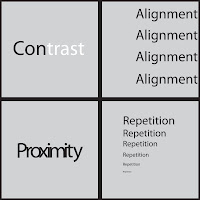

My Challenge Activities - Chapters 1 - 11
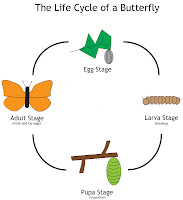

I used Adobe Illustrator to create all of my web and challenge activities for the class. I feel like I am only just beginning to understand how to use Illustrator from the projects I created and playing around with all of the functions.


My Challenge Activities - Chapters 1 - 11


I used Adobe Illustrator to create all of my web and challenge activities for the class. I feel like I am only just beginning to understand how to use Illustrator from the projects I created and playing around with all of the functions.
Sunday, October 10, 2010
Tuesday, June 8, 2010
Saturday, May 8, 2010


EDIT 554 - Video Project #2
The project is a video interview with sommelier, Tim Robertson. I used to hate to drink wine or even think about wine, but after a few wine tastings I changed my mind. I have come to appreciate wine and wine culture. The video is just a short introduction to wine through a sommelier's eyes and nose.
Tuesday, April 20, 2010
EDIT 554 - Video Project & Narration #1
The first project in EDIT 554 required us to record a narration with video or pictures. I choose Shakespeare's sonnet 18 for my project. I used photos and videos from San Francisco and Zion National Park in Utah. The guitar music that plays throughout the video was performed and recorded by me.
Sunday, April 18, 2010
EDIT 554 - Video Technology Class


Here is my set up for the 1st project. I bought a USB microphone from Guitar Center, so I could do some high quality recording, both voice and musical. I may need to dampen the materials around the microphone to get the sound I want for the narration. I have a screen so the p's won't pop in the condenser mic.
I tried using Audacity with this microphone with very poor results. During each talking part, i could hear what sounded like tape hiss. Once I started recording in Garageband, it went away completely. In addition, I can record multiple tracks and import them into iMovie without having to separate all my tracks out into iMovie.
There are three steps I want to do for this project. One, find and record a poem about clouds or nature. Two, I want to record an original composition to add an undertone to the narration. Three, I will add some short video and pictures of clouds that I have taken over the last 2 years.
Once I have all of those parts together, I can add the title screen. The video needs to be around 30 - 45 seconds in length. I am shooting for about 40 seconds of narration. The fade in and fade outs will add a second or two when I am finished.
Tuesday, March 23, 2010
Liam Jon Reed - 3/18/10

My son, Liam, was born on March 18, 2010 at 6:53pm. One of the most surreal and happiest days of my life.
On March 30th, I start a new class at Cal State LA after taking a quarter off to have my son and finish the requirements for National Board Certification.
Saturday, November 21, 2009
CBI Project - Main Menu
 I believe I have finished the first part of my project. I have already marked out where the other frames will go with their global buttons. The easy part is complete. Now, on to the harder part - the content and animations that go with it. I plan on putting a 5 question quiz at the end of my project to check the understanding of the students at the end of the instruction. From there, I can determine whether the computer based instruction is helpful for the students or not. I think they will like it.
The projects I have already done in class have inspired me to do more with Flash, from quizzes to animations for language arts, math, social studies, and science.
CBI Title Screen - 1st Revision

I changed the font to Chalkduster since my audience will be 4th graders not adults. Hopefully, it makes it more appealing for young kids to want to click on the enter button.
CBI Title Screen
I am working on the title screen for my CBI project in EDIT 484. I originally had the background as a light blue; however, once I started playing around with the color, the green seemed to make the border and the button pop. In my flowchart, I didn't have a title screen, but I think it's necessary to introduce the topic before choosing the menu options in the next frame. On Tuesday, I scanned a bar magnet at school with wonderful results. I was afraid the magnet might mess up the scanner. To my surprise the scanner was fine and I ended up with a high resolution photo to use in this project. I had thought about drawing the magnets in Flash, but the amount of work to do that across my frames would be enormous. Now I can do the animations with my bar magnet jpeg. It'll be so much easier now.
The border is just scaled down versions of the scanned bar magnet. Fitting all of the pieces together was relatively easy, however, lining up the top to the bottom took a little time. I think the results are what I expected. I like the direction of my project so far. Still, there is a lot of work left to be done. I can at least get a good head start this weekend.
I just realized I may have to make my project slightly bigger than it already is. I already changed the size to 800 x 600.
The border is just scaled down versions of the scanned bar magnet. Fitting all of the pieces together was relatively easy, however, lining up the top to the bottom took a little time. I think the results are what I expected. I like the direction of my project so far. Still, there is a lot of work left to be done. I can at least get a good head start this weekend.
I just realized I may have to make my project slightly bigger than it already is. I already changed the size to 800 x 600.
Tuesday, November 17, 2009
CBI Sketch & Flowchart for Final Project
 Here is the flowchart and sketch of my frames for my final project. I forgot to add the URLs that will be included in my project. The project is due December 1st. I will have to present the project in front of my EDIT 484 class on that Tuesday. I hope that I can get all of the animations done on time. We are working on the title screen and main menu in tomorrow's class.
Wednesday, November 11, 2009
Computer Based Instruction Project Outline
I have chosen to do my project on Electricity and Magnetism because we are currently working on this unit of study at school. Since science is usually hands-on, I would like to create a project that has some interactivity in it just like if they were to pick up the real objects for science inquiry. At a later date, I could add more physical science standards based activities to the project. This project is geared toward 4th graders, but could easily be used in the 5th grade based on the fact that they are tested on 4th grade standards on the CSTs.
This project will be benefit students in several ways. One, it will have interactive activities to help students review concepts they have learned in physical science. Second, it will allow them to use computer models to reinforce their learning. Basically, it’s the same learning presented in a different format. It also covers two standards in physical science out of the seven for the unit.
Outline of the Project:
I. Magnetism & Electricity
A. Magnets
1. Different poles like the Earth
2. Attract & repel (animation)
3. Magnetic fields
4. Magnets and the compass (animation)
5. Magnets and other objects
B. Static Electricity
1. positive and negative electrons
2. materials and charges
3. two balloons w/ charges
4. wool on one balloon – change in charge (animation)
5. balloons - repel and attract (animation)
Web Resources
1. http://phet.colorado.edu/simulations/sims.php?sim=Magnet_and_Compass
2. http://phet.colorado.edu/simulations/sims.php?sim=Balloons_and_Static_Electricity
3. http://science.howstuffworks.com/magnet.htm
I actually revised my project. Now it only has magnets as the main idea of my project. I am currently working on some sketches for the layout and the flowchart that I have to turn in by Nov. 15th. I have already decided my buttons will actually be a picture of one of the blue/ red bar magnets that I got from Lakeshore. The layout of the Main Menu screen has already been designed. It's the other frames and animations that will be more difficult to produce. The back, home, and next buttons will also be miniature versions of the main menu buttons.
The next posting will have the flowchart and the sketches for all of my frames I will design.
This project will be benefit students in several ways. One, it will have interactive activities to help students review concepts they have learned in physical science. Second, it will allow them to use computer models to reinforce their learning. Basically, it’s the same learning presented in a different format. It also covers two standards in physical science out of the seven for the unit.
Outline of the Project:
I. Magnetism & Electricity
A. Magnets
1. Different poles like the Earth
2. Attract & repel (animation)
3. Magnetic fields
4. Magnets and the compass (animation)
5. Magnets and other objects
B. Static Electricity
1. positive and negative electrons
2. materials and charges
3. two balloons w/ charges
4. wool on one balloon – change in charge (animation)
5. balloons - repel and attract (animation)
Web Resources
1. http://phet.colorado.edu/simulations/sims.php?sim=Magnet_and_Compass
2. http://phet.colorado.edu/simulations/sims.php?sim=Balloons_and_Static_Electricity
3. http://science.howstuffworks.com/magnet.htm
I actually revised my project. Now it only has magnets as the main idea of my project. I am currently working on some sketches for the layout and the flowchart that I have to turn in by Nov. 15th. I have already decided my buttons will actually be a picture of one of the blue/ red bar magnets that I got from Lakeshore. The layout of the Main Menu screen has already been designed. It's the other frames and animations that will be more difficult to produce. The back, home, and next buttons will also be miniature versions of the main menu buttons.
The next posting will have the flowchart and the sketches for all of my frames I will design.
Sunday, November 1, 2009
Project #3 - EDIT 484

Project #3 had us make buttons that would jump to another frame. It was very difficult at first. I must have played around with the code for 4 hours before I finally got it right.
One stumbling block was the 3rd button. I didn't realize when I need to jump to the 4th frame that I needed to add blank frames in between. So frustrating, but now I know. I struggled with the 3rd button in class, too. I learn by doing, so though it was frustrating, I learn a great deal by problem solving on my own.
We had to jump to new frames that talked about us personally. I chose teacher, runner, and traveler. On the jump to frames, I added pictures of myself in those capacities.
The colors remain the blues and yellows. I had fun creating the buttons because they were not standard buttons. I played around with the curve tools and created all my buttons that way. I was even able to create a back button for each frame so it would go back to the beginning. It's a little tiring clicking on Control > Test Movie. This way I could test all of my buttons after only clicking on Control > Test Movie once.


Project #4

It didn't take me very long to figure out how to link buttons to websites. I tried playing around with motion before the button, but that didn't work out too well, so I scrapped that part of my project. Now I am agonizing over the details of the project. I have the buttons I like, however, I am not sure they are right for the project I created. I don't want to go with standard rectangular buttons or oval buttons. I have tried both and they don't look right on the stage. I thought the hardest part was going to be the Action Script for website linking. Surprisingly, it was the easiest part. I even know the websites I am going to use. Blue and yellow seem to be a reoccurring theme in my projects. Am I going through a blue period of work. I've tried many other colors and they don't seem right. I always go back to blue.
I added a television screen like background so it wouldn't be so plain on the edges of the project. I got some inspiration from The Unforgettable Album artwork that has thin lines at the top and the bottom which breaks up the solid colors and the picture. I still have to play around with the middle to make it just right.
Here is a screen shot of my unfinished project. Who knows what the final version will be when I turn it in on Monday night.
Wednesday, October 14, 2009
My First Flash Project in EDIT 484

The project was an introduction to Adobe Flash and its capabilities. The main focus of the project was to create working buttons and put some motion tweens that make sense in the mock interface. It was a fun project because I was able to play around with what I learned in class. I can't wait to see what else I can do with this program. I already see the applications in social studies, science, math, and language arts. I could make interactive activities, online quizzes, and other content related to the subjects I teach.
I apologize for the bad quality of the quicktime movie. I haven't figured out a great way to convert .swf to a movie file that can be uploaded into my blog. At a later date, maybe I will learn the proper way to export my projects that I am working on in class.
Wednesday, September 30, 2009
New Class for Fall 2009
On Tuesday, I had my first class of the Fall, EDIT 484. In this class we are going to learn about Adobe Flash. Concurrently, I am trying to work on being Nationally Board Certified by the end of May 2010. One of the portfolio pieces has to be a lesson using Social Studies and Art. I think Flash will be a way for me to incorporate technology into the lesson also.
I learned what the file extensions .swf and .fla meant on Tuesday. We played around with layers, objects, and several tools during our class session. I am looking forward to learning a great deal about Flash, so I can begin to use it in my classroom.
I learned what the file extensions .swf and .fla meant on Tuesday. We played around with layers, objects, and several tools during our class session. I am looking forward to learning a great deal about Flash, so I can begin to use it in my classroom.
Subscribe to:
Posts (Atom)